


Login As Customer
Last updated: Jul 20, 2026

HOW TO LOG IN AS A CUSTOMER
Introduction
The Login As Customer feature allows you to access a customer's storefront account without requiring their login credentials. This can be helpful when troubleshooting issues, verifying account settings, or assisting customers with their online experience.
Steps
- Log in to Shop Manager by first signing in to the DermPRO OneLogin Dashboard and clicking the Shop Manager tile.

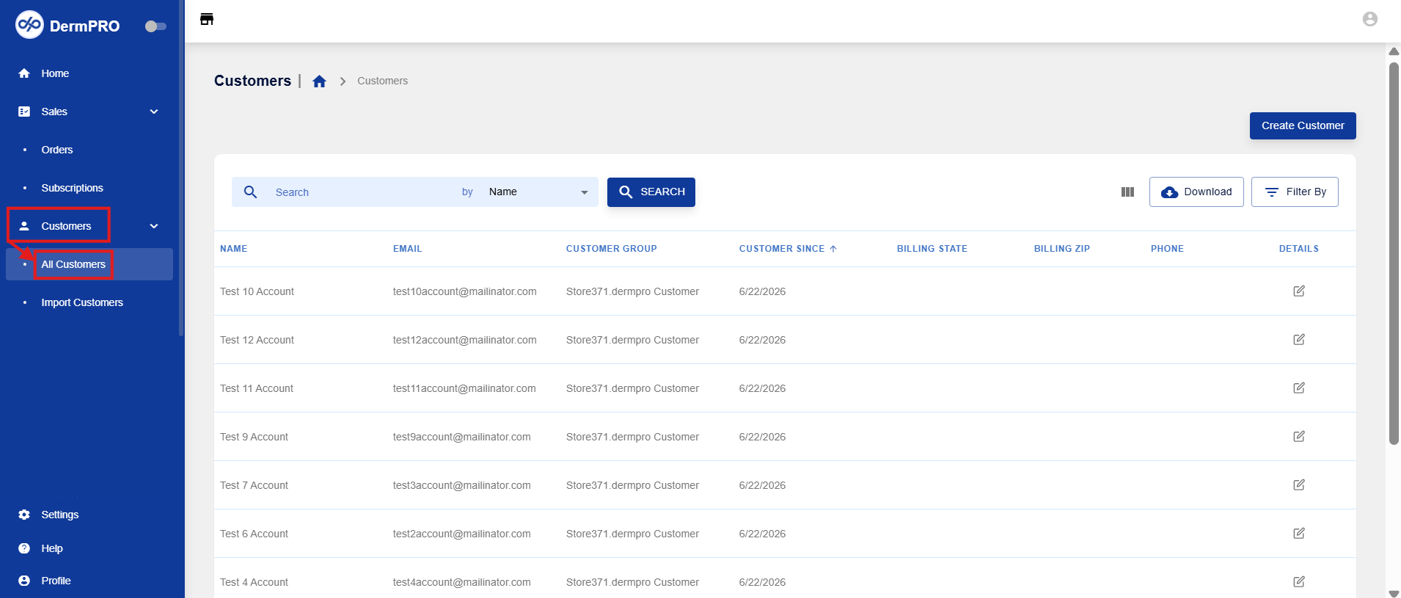
- From the left-hand navigation menu, click Customers to expand the available options, then select All Customers.
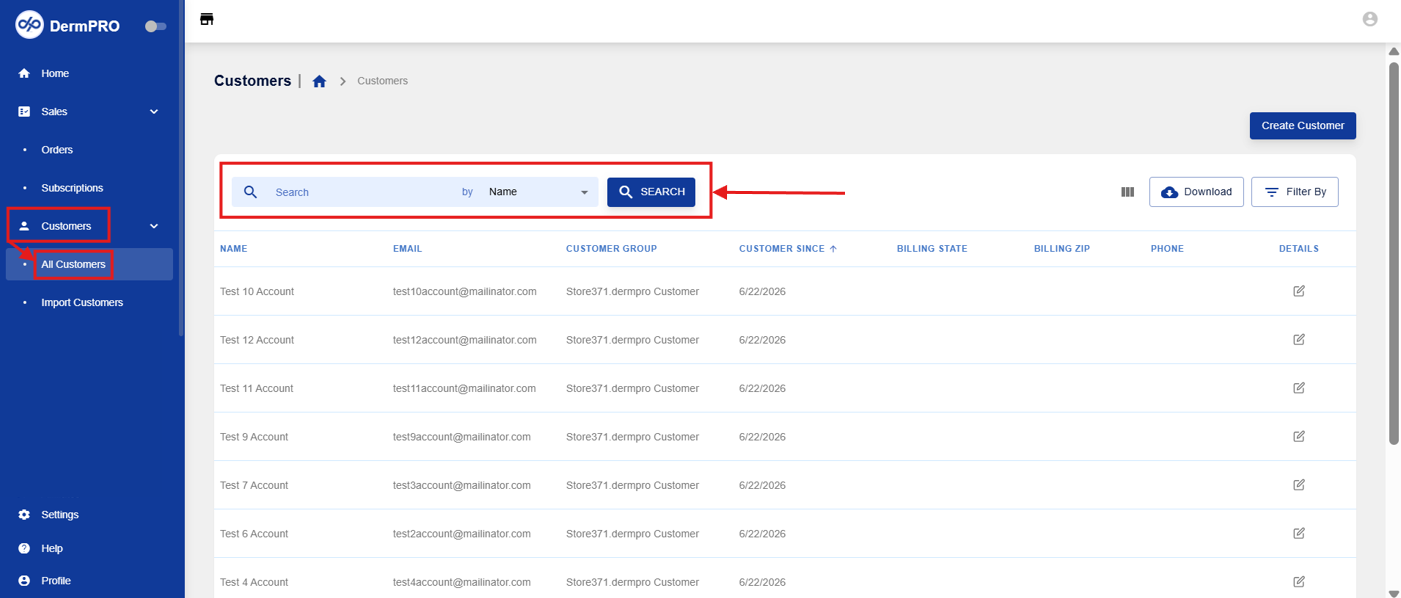
- Use the Search bar to locate the customer by Name, Email, Billing Address, or Phone.
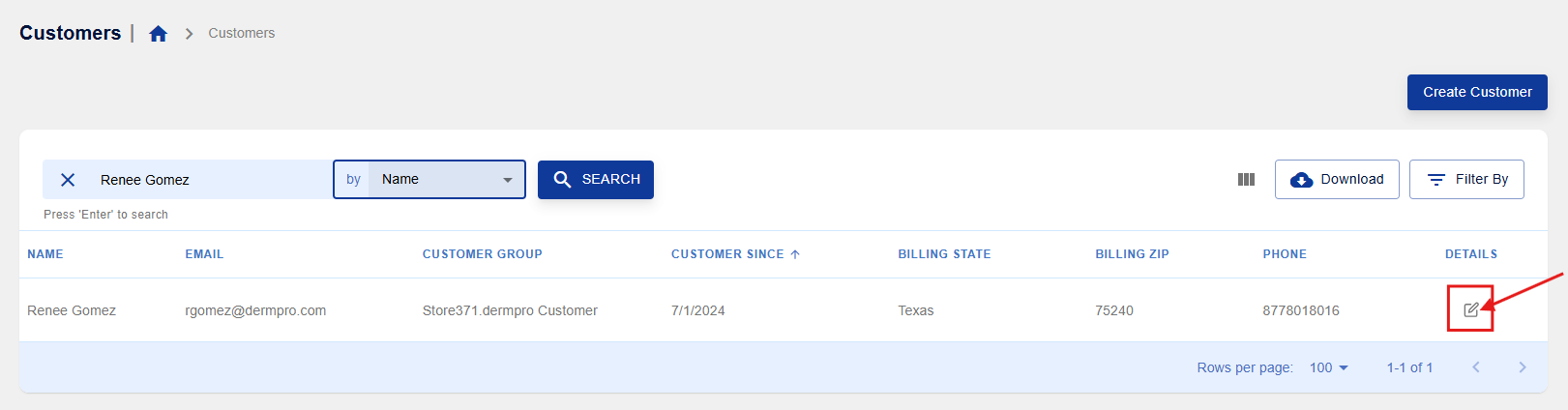
- Once you've located the customer, click the pencil icon to open their customer profile.
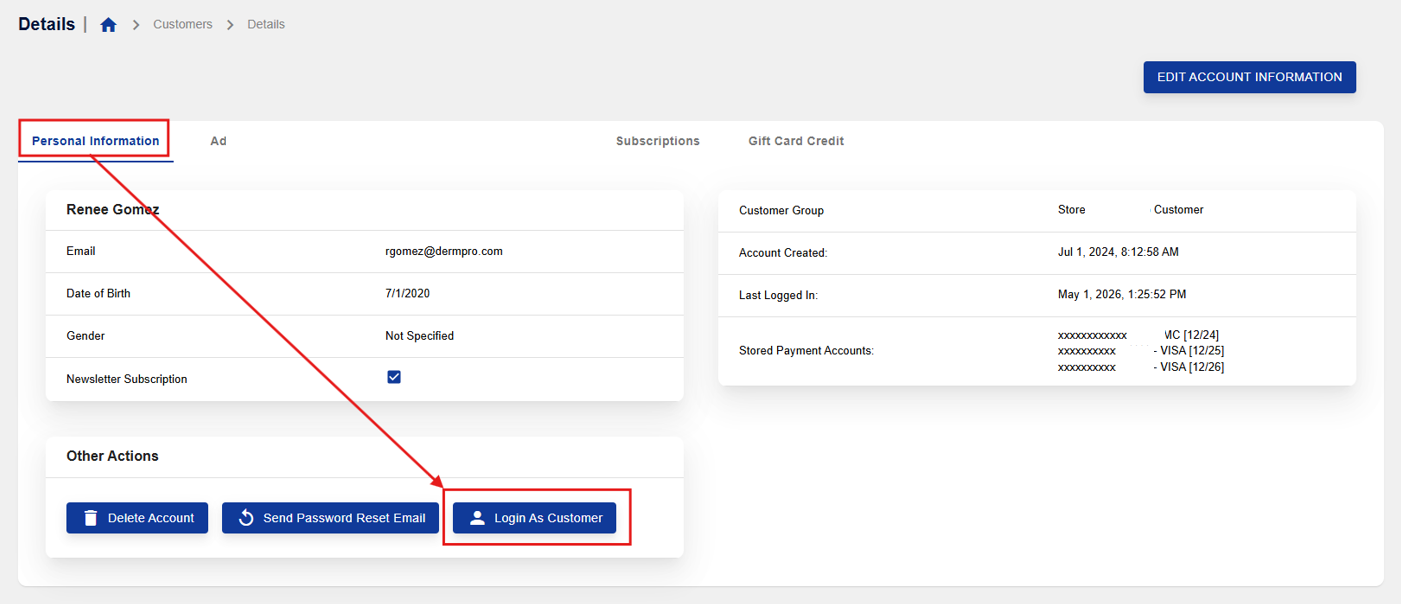
- On the Personal Information tab, locate the Other Actions section. Click Login As Customer. You will be redirected to the customer's storefront account, where you can view the store from their perspective.
Notes
- This feature is intended for troubleshooting and customer support purposes.
- Any actions performed while logged in as the customer will affect their account, so use this feature with care.
-----END-----

