


How to Create New Customer Account
Last updated: Jul 20, 2026

HOW TO CREATE NEW CUSTOMER ACCOUNT
Introduction
This article explains how to create a new customer account in Shop Manager.
Steps
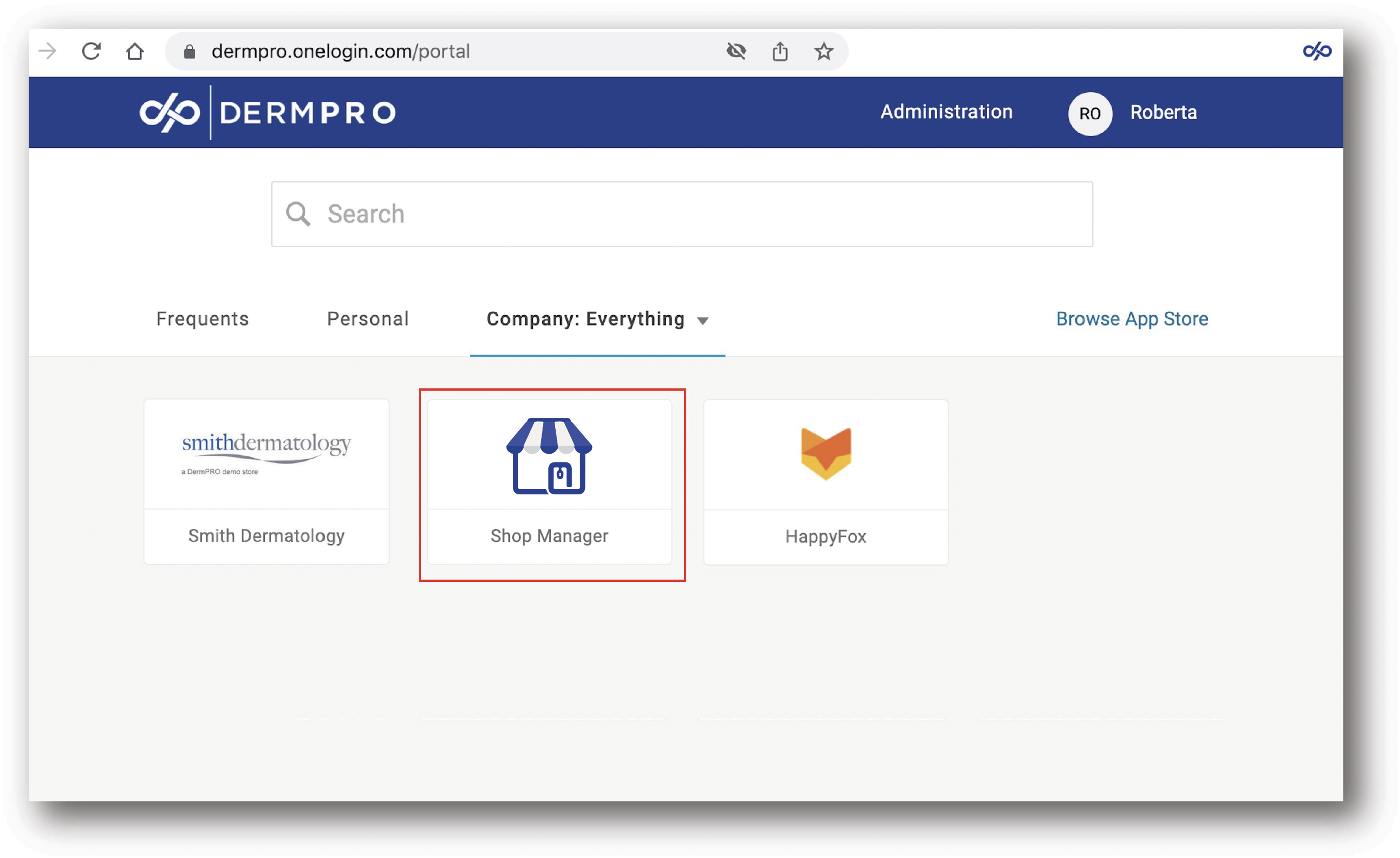
- Log in to Shop Manager by first signing in to the DermPRO OneLogin Dashboard and clicking the Shop Manager tile.
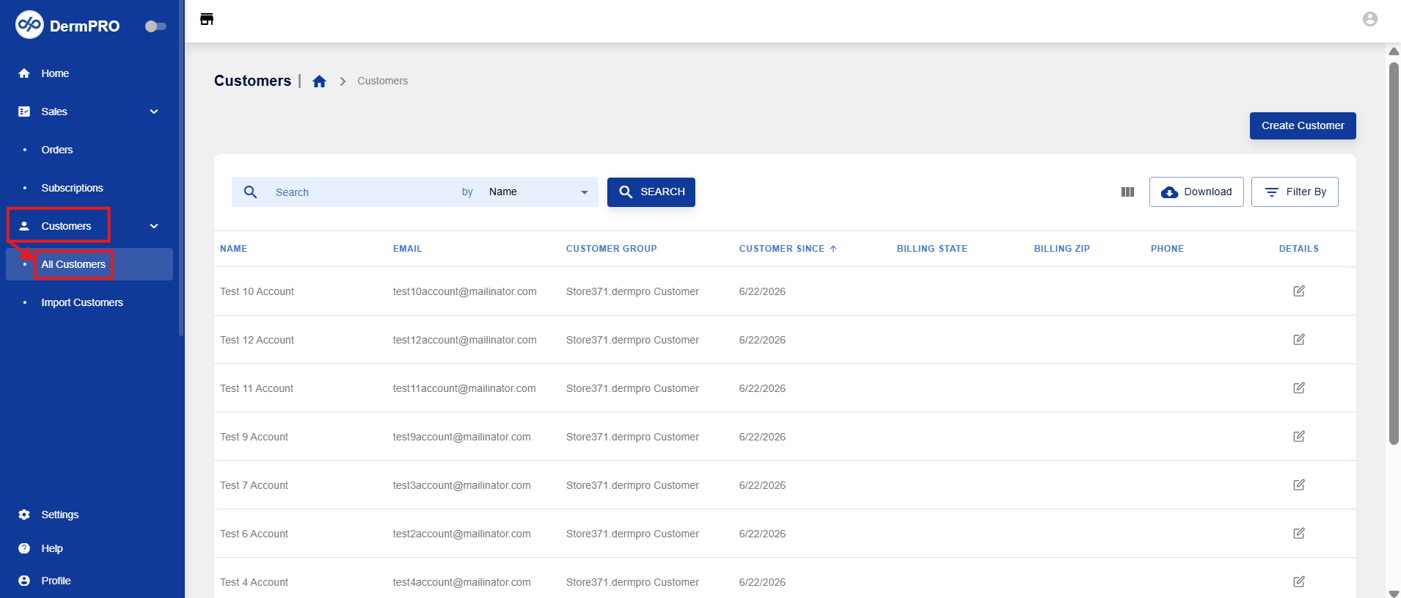
- From the left-hand navigation menu, click Customers to expand the available options, then select All Customers.
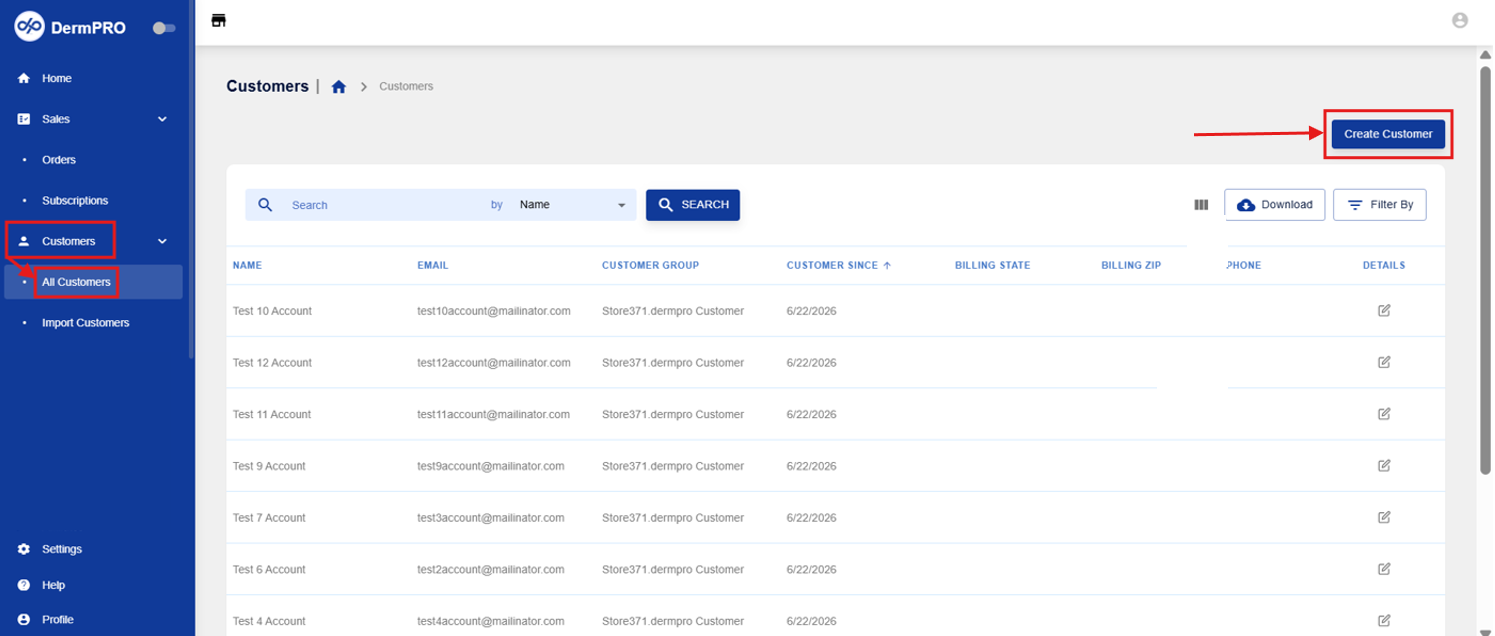
- Click Create Customer in the upper-right corner of the page.
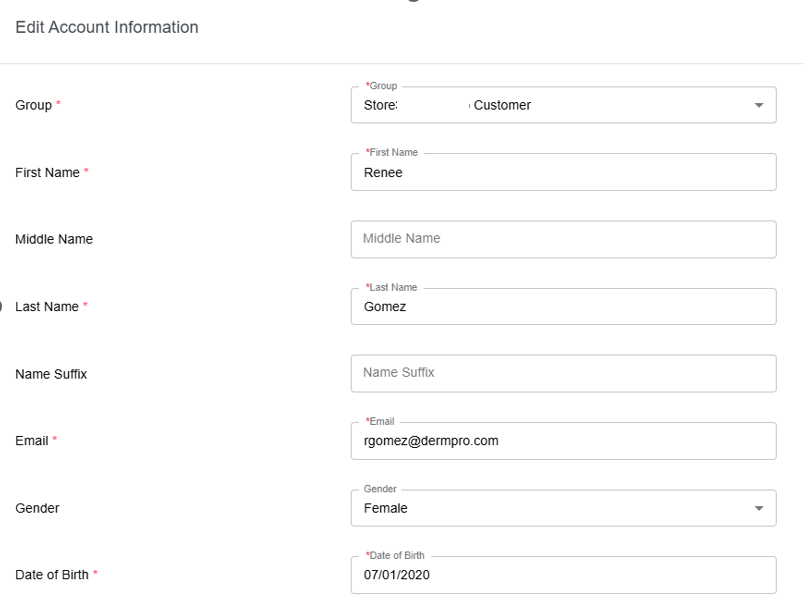
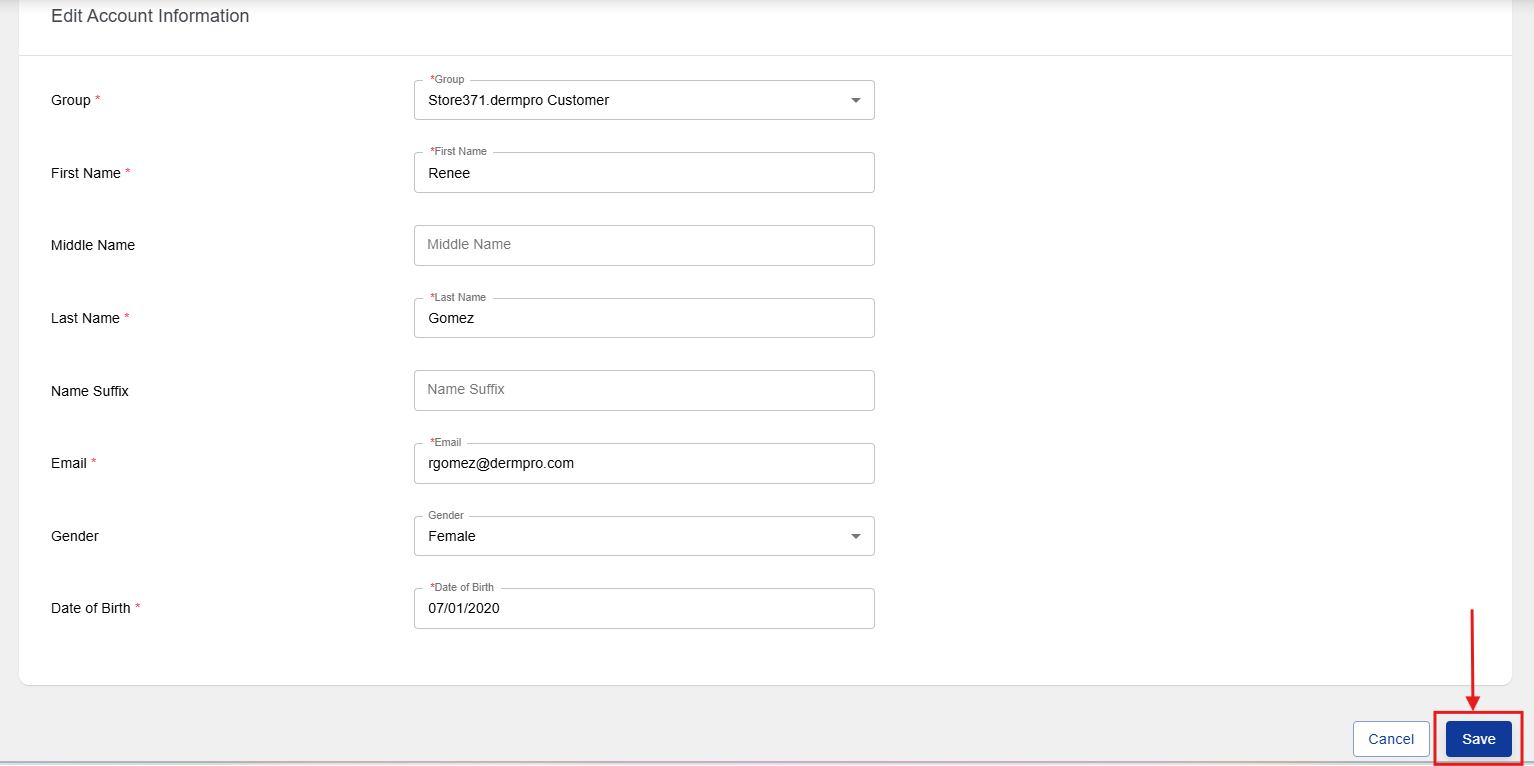
- Enter the customer's account information, including:
- Group
- First Name
- Middle Name
- Last Name
- Name Suffix
- Gender
- Date of Birth
- After entering the customer's information, click Save in the bottom-right corner of the page.
Notes
- Ensure all required fields are completed before saving the new customer account.
- Verify the customer's email address and other details for accuracy before creating the account.
-----END-----

